
CRM for Roofing Contractors:
Roofer Revenue OS (R-ROS™)
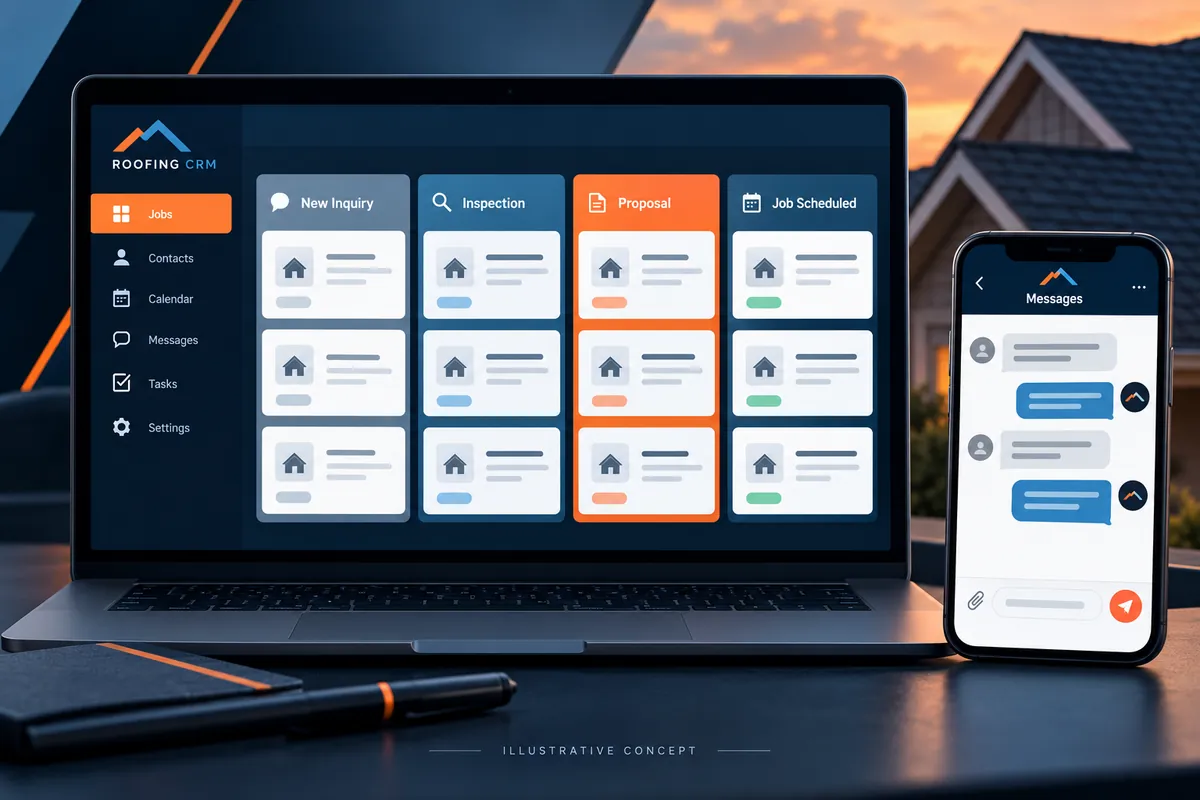
R-ROS™ is our managed CRM and automation setup for roofing contractors, built on the HighLevel platform. It connects your lead sources to your existing CRM, so every inquiry gets an instant response, a named owner and a tracked path to a booked inspection. Your CRM stays the system of record for jobs; R-ROS adds the workflows and the team to run them.
R-ROS™ works with your ads, call tracking and CRM (for example JobNimbus, AccuLynx, HubSpot or Salesforce). Optional extensions support storm-damage, retail replacement and commercial workflows, and are scoped in your proposal.
Instant
Speed to lead
Booked
Inspections, not just leads
Managed
Setup and upkeep
The Conversion Gap
Why Good Roofing Leads Go Cold: The Truth About Lead Decay
Most roofing agencies think their job ends when they deliver a lead. But in the residential and commercial roofing space, a lead has a half-life of minutes. Homeowners submit their details on Facebook or Google while distracted—watching TV, waiting in line, or checking social feeds.
If your sales rep calls them 2 hours later, they are no longer in "buyer mode." If they call the next day, they might not even remember filling out the form.
"Homeowners usually contact several roofers. The one who responds first, and keeps following up, is far more likely to get the inspection."
R-ROS™ bridges this gap, connecting webhooks and automation triggers to ensure no roofing lead is left waiting, neglected, or forgotten.
The Old Way (Rep Manual Intake)
A lead is generated. The agency sends an email alert. The owner checks their inbox at lunch, copies the lead info, texts it to a sales rep. The rep is on a roof and calls back 4 hours later. Result: Homeowner doesn't answer or has already called another roofer.
The R-ROS™ Way (Immediate Action)
A lead is generated. Instantly, our system parses the details and creates a record in your CRM. Right away, the homeowner receives a personalized text with a calendar booking link. At 45 seconds, the sales estimator gets an automated text alert with tap-to-dial functionality. In practice, teams see appointments booked within minutes rather than hours.
What You Get With R-ROS
R-ROS is a roofing configuration of a full CRM and marketing automation platform, set up and managed by our team. Everything below is part of the platform we configure for you.
Roofing pipelines
Stages for inquiry, inspection, estimate, contract and production, including insurance-related stages where you work claims.
Instant response
Automatic text and email to every inquiry, plus missed-call text-back so no caller waits in silence.
Scheduling and reminders
Booking links, confirmations and reminders that cut no-shows.
Estimate follow-up
Sequences that keep following up after an estimate until the customer decides or opts out.
Review requests
Honest review requests after completed jobs, with duplicate suppression. See reputation management.
Database reactivation
Outreach to past leads and customers who have opted in, to book new inspections from lists you already own.
Call and source tracking
Tracked numbers and recordings where configured, so every inquiry has a source.
Reporting
Dashboards from inquiry to booked inspection to signed job. See attribution.
Forms and pages
Lead forms, chat widgets and simple landing pages that feed the same pipeline.
Custom extensions
When the platform does not cover something you need, we can build it on top through its API and workflow tools. These are scoped and quoted separately, and some are on our roadmap rather than standard today:
- An instant roof estimate widget (depends on a roof-measurement data provider)
- Storm-alert triggers that connect weather data to your follow-up workflows
- Neighbor mailers triggered by completed jobs, through a print-and-mail service
- Custom dashboards or client-facing tools
- Deeper integrations with your existing roofing software
Run R-ROS As Your CRM, Or Connect It To Yours
Option 1: R-ROS as your CRM
Move your pipeline into R-ROS. You get one system for leads, messages, appointments, reviews and reporting, with your data exportable at any time.
Option 2: connect to your existing CRM
Keep JobNimbus, AccuLynx, HubSpot, Salesforce or similar as the record for jobs. We connect lead capture, follow-up and reporting to it, and your CRM stays the system of record.
Which option fits depends on how your office works today. We recommend one during the audit and never force a switch.
What R-ROS Adds On Top Of A Standard CRM
Standard CRMs are flexible but arrive unconfigured. This compares an out-of-the-box CRM with the same kind of platform once R-ROS workflows are set up and managed.
| Typical out-of-the-box CRM | With R-ROS | |
|---|---|---|
| Roofing pipeline stages | Generic deal stages | Roofing stages set up with you |
| Instant response and missed-call text-back | Built by you, if at all | Configured and tested |
| Review requests after jobs | Separate tool or manual | Triggered by job completion |
| Estimate follow-up and reactivation | Manual | Automated sequences |
| Reporting to booked inspections | Basic reports | Stage-by-stage reporting |
| Setup and upkeep | Your admin or a consultant | Managed by our team |
| Custom builds | Extra consultant cost | Scoped separately |
The 3-Step Follow-Up Sequence We Install for Your Team
The workflow we configure behind your lead generation campaigns.
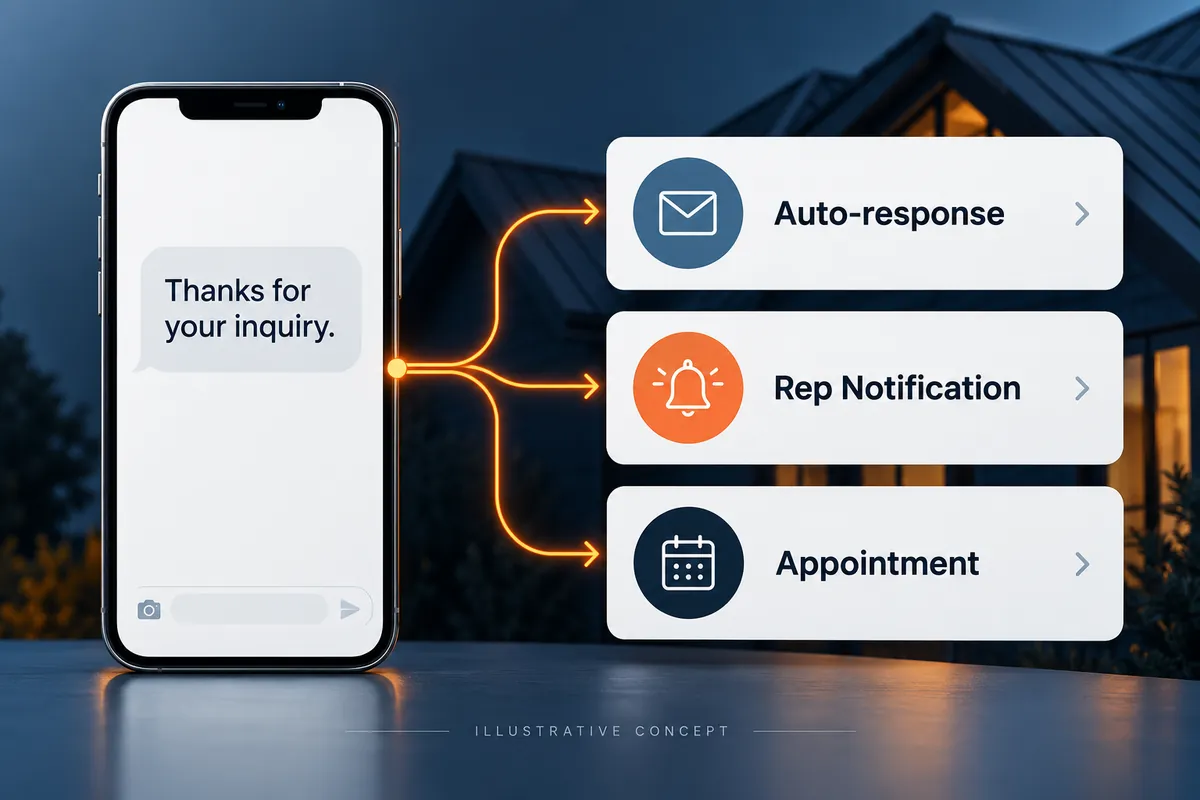
Instant SMS auto-response
Right away, the homeowner receives a personalized text:
"Hi Marcus, thanks for requesting a free roof inspection from Apex Roofing! We have estimators in Plano this week. Pick a time that works for you: apexroofing.com/book-inspection"
It engages the homeowner while intent is high and offers easy booking.
Internal rep notification
Simultaneously, the designated sales rep receives a text and push alert with the key details:
"NEW ROOF LEAD: Marcus - (555) 234-8910 - 1420 Oak Ridge Dr. Lead source: Google Local Services Ads. View in CRM: app.rooferrevenueos.com/leads/4821"
No manual entry. Reps can tap to call with full context.
Urgency and review nurturing
If they do not schedule right away, they enter a short, warm nurture sequence:
- Day 1: a recent local review
- Day 2: a relevant completed project
- Day 3: a final reminder that inspection slots are filling
See the workflow in your CRM
We will show how this sequence connects to your current CRM and lead sources.
What Happens When A Lead Does Not Respond, Or Does
Automation handles the first touch. People handle the rest. A realistic workflow looks like this:
- ✓Assignment: every lead gets a named owner at your company, with a backup
- ✓Stop conditions: messages stop as soon as an inspection is booked, the lead replies STOP, or it is marked not a fit
- ✓No-shows: a missed inspection triggers a reschedule message and a task for your office
- ✓Estimate follow-up: after an estimate is sent, reminders run until the customer decides or opts out
- ✓Conflicts: if staff and automation disagree, the CRM record updated by your team wins
Core follow-up covers speed to lead, reminders and handoffs. Extensions such as the instant estimator, storm alerts, neighborhood mailers and claim tracking are scoped separately in your proposal; database reactivation is part of the core R-ROS setup described above. Reporting is covered on attribution, and review requests on reputation management.
Hidden Revenue
Roofing CRM Database Reactivation: Turn Old Leads Into Scheduled Inspections
Many roofing contractors have hundreds or thousands of old leads sitting in their CRM. These are homeowners who filled out a form last storm season, requested a quote but never closed, or were waiting on insurance payouts that got delayed.
We run custom **Database Reactivation (DBR) campaigns** that mine this database. By sending targeted, low-friction SMS campaigns (e.g., "We're in your neighborhood assessing storm damage this week, would you like a quick inspection?"), we book high-value jobs out of the list you already own—generating cash flow without spending a single dollar on new ads.
Varies
Response depends on list age and quality
Measured
Booked inspections tracked per campaign
The DBR Blueprint We Run:
Step 1: CRM Clean & Segment
We extract unconverted leads older than 90 days and group them by geographic location and service type (residential replacement vs. storm damage).
Step 2: Low-Friction SMS Broadcast
We fire a short, casual SMS. No sales pitches. Just a simple question to get a response: "Hey Marcus, are you still looking to get your roof looked at in Plano?"
Step 3: Automated Scheduling Routing
Responses are scanned by AI sentiment analysis. Positive responses are immediately sent a scheduler link or routed directly to a live sales rep for booking.
Onboarding Roadmap
The Done-For-You R-ROS™ Deployment Protocol
We don't hand you a login and wish you luck. Our dedicated systems engineers configure, test, and launch R-ROS™ for your business, typically within 14 days, without interrupting your current operations.
API Bridge & Sync
We audit your existing CRM system and configure secure webhook bridges connecting Facebook/Google ad forms directly to your sales pipeline.
Custom Sequences
We build your geographic routing matrices, map estimator schedules, write SMS sequences, and set up compliance parameters.
DBR Launch & Test
We upload your historical unconverted leads list and launch the first Database Reactivation broadcasts, immediately booking lost sales.
Go-Live & Onboard
We run live test leads to confirm instant delivery. We hold a 60-minute training call with your estimators to ensure full software adoption.
Choosing Between Field Production Software And Marketing Automation
Evaluating whether to keep your current field-management software or add a dedicated marketing automation layer? Read our guide on how to compare CRMs for roofing companies and see every pipeline metric defined in our roofing marketing glossary.
Related Guides From The Blog
- What Is a Roofing CRM, and When Does a Small Roofing Company Need One?What a CRM does for a roofing company, how it differs from spreadsheets and job management software, the signs you need one, what to look for, a minimal setup and common mistakes.
- Missed-Call Text-Back for Roofers: When It Helps and How to Set It UpWhat missed-call text-back is, when it helps roofing companies, how to set it up in a CRM, message examples, consent and compliance cautions, and the mistakes that make it backfire.
- The First 24 Hours: A Roofing Lead Follow-Up SequenceA practical roofing lead follow-up sequence for the first 24 hours: call timing, text and email messages, voicemail scripts, scheduling steps, CRM stages and common mistakes, with example messages.
- Questions to Ask on the First Call to Qualify a Roofing LeadA practical question list for the first call with a roofing lead: confirming the property and need, roof age and type, urgency, insurance involvement, decision makers, budget and timeline, with how to stay polite and keep calls short.
- What Counts as a Roofing Lead? Inquiry, Accepted Lead, Inspection and ContractA four-stage definition of a roofing lead: inquiry, accepted lead, booked inspection and signed contract, why each matters, how to record them in a CRM and how to use the definitions in reports and agency agreements.
Frequently Asked Questions: Roofer Revenue OS (R-ROS™)
What is Roofer Revenue OS (R-ROS™)?
A managed CRM and automation setup for roofing companies, built on the HighLevel platform. We configure the pipelines, follow-up, reviews and reporting, and run them with you.
Do we have to change our CRM system?
No. You can run R-ROS as your CRM, or keep JobNimbus, AccuLynx, HubSpot, Salesforce or similar and connect to it. We recommend an approach in the audit.
What is included and what is custom?
The platform features on this page, including pipelines, instant response, missed-call text-back, reminders, follow-up, review requests, reactivation and reporting, are part of the setup. Custom builds such as an instant estimate widget or storm-alert triggers are scoped and quoted separately.
Are the text messages compliant?
We handle carrier registration (10DLC), opt-in language on forms, automatic opt-out handling such as STOP, and quiet hours. Compliance also depends on your business collecting consent properly, so we help you set that up.
Who owns the data?
You do. Your contacts, conversations and pipeline data belong to your business and can be exported.
Ready to Deploy R-ROS™ in Your Roofing Business?
Schedule a free CRM integration demo. We'll show you exactly how R-ROS™ connects Facebook and Google lead ads directly to your current CRM, runs real-time routing tests, and maps scheduling automations.
Related Roofing Marketing Guides And Next Steps
Go deeper on this topic
Connected channels
Pricing
From the Roofing Growth Library
- Answering Service or Automated Text-Back? Handling After-Hours Roofing Calls
- Call Tracking and Recording for Roofers: What Consent Rules Mean in Practice
- How to Reactivate Old Roofing Leads: A Practical Plan
- How to Reduce No-Shows for Roofing Inspections
- Moving From Spreadsheets to a Roofing CRM Without Losing Leads